Magento to Shopify Migration: What to Audit First
Chris Norton 13 min read
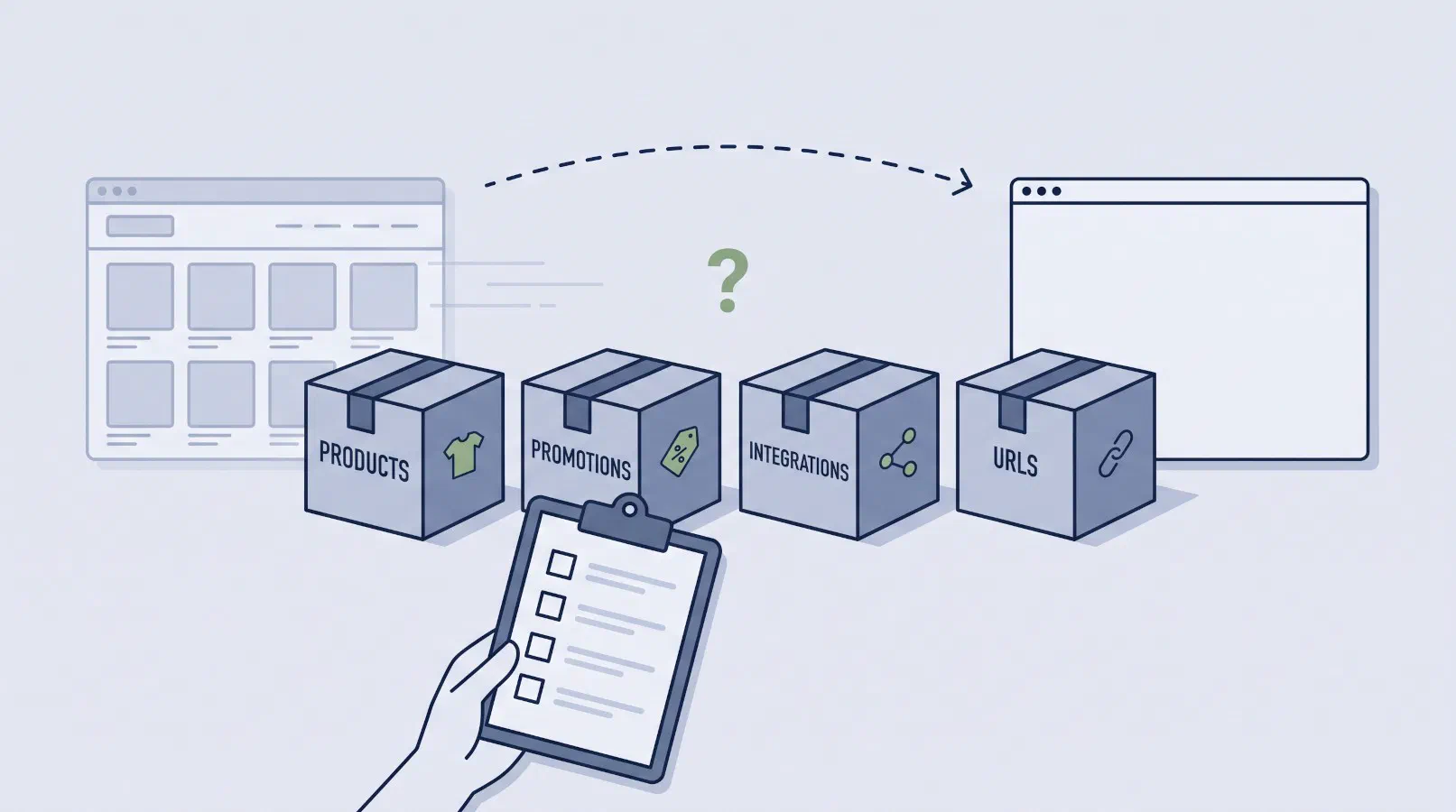
The brief for an Adobe Commerce (Magento) to Shopify migration usually describes the store with the same handful of facts: how many SKUs it carries, which extensions are installed, which systems it integrates with, and a requirement to protect search rankings. All of it is relevant, but each item has a more specific question underneath it, and the answers to those questions are what set the scope.
The SKU count doesn’t tell you whether your products fit Shopify’s product model, which gives each product far fewer ways to vary than Adobe Commerce does. Promotion rules are often missing from the brief entirely, even though the two platforms decide how discounts combine in ways that don’t translate rule for rule. A list of integrations names the systems without saying how each one connects, and that is the difference between rewiring an integration and rebuilding it. And a requirement to protect rankings doesn’t say which URLs are earning traffic, which is the list the redirect map has to be built from.
This post is for the ecommerce managers, heads of digital and CTOs putting that brief together. It covers the four audits worth running before it goes out, what each should produce, and who can run it. You can run the catalogue and URL audits yourself from exports and Google Search Console. The promotion and integration audits need a developer with access to the database and the integration code, either on your own team or as part of a discovery engagement with the team that will run the migration. What comes out is a brief built on facts rather than assumptions, and occasionally a reason not to migrate at all.
Audit one: does your catalogue fit Shopify’s product model?
SKU count says little about how hard a catalogue is to move. Fifty thousand simple products map onto Shopify with very little interpretation. Four hundred configurable products that each vary on five attributes need a decision for every one of them.
Shopify’s equivalent of a configurable product is a product with variants. Its options do the job of your configurable attributes, and each variant stands in for a child simple product, with its own SKU, price and stock. A variant isn’t a product in its own right, though: it has no page or URL of its own, so any child products currently visible on their own will need redirecting.
Shopify limits both. A product can have up to three options and up to 2,048 variants. Of the two, the option limit is the one a migration has to design around, because Adobe Commerce doesn’t cap how many configurable attributes a product can use.
For a lot of catalogues, three is enough: size and colour, or capacity and finish. Apparel sold on size, colour, fit and leg length needs four, and so does a sofa sold by seat count, fabric, colour and leg finish. A range that goes over the limit has to be restructured, either by splitting it into separate products along one attribute (one product per fit, for example) or by handling the extra attribute with an app or custom code. Either choice changes how the range is merchandised, filtered and searched, so it needs settling in discovery, before the collections (Shopify’s equivalent of your category tree) and product page templates are built around it.
Custom options, such as the width and drop on a made-to-measure blind, are a separate question. Shopify’s nearest equivalent is a line item property: a free-form field the theme adds to the cart line, which Shopify stores on the order but doesn’t price. Any custom option that changes the price needs an app or custom development. Bundle and grouped products need the same review, because Shopify handles bundling differently and has no equivalent of a grouped product.
What to produce:
- A list of every configurable product and the attributes it varies on. The standard Adobe Commerce product export includes this, so it is a spreadsheet job rather than a development one.
- A count of products that vary on more than three attributes, grouped by range. This is the number that changes the scope.
- Every custom option that carries a price, and every bundle and grouped product.
Audit two: what your promotion rules actually do
Both platforms let you run overlapping promotions. They differ in how they decide which discount wins, and that difference means a rule set built for one can’t be converted mechanically to the other.
In Adobe Commerce, the Priority and Discard Subsequent Rules settings on cart price rules let you decide which promotion wins when several match. Nothing in the admin records which of your rules depend on that order.
Shopify has no priority field. A discount is either automatic or a code, and each belongs to one of three classes: product discounts (on particular items), order discounts (on the subtotal) and shipping discounts. In place of a priority, each discount is set to allow or refuse combining with each class, and where eligible discounts can’t combine, Shopify always applies the one that gives the customer the best price. There are other limits too: shipping discounts never combine with each other, an order can carry only so many codes, and stacking two product discounts on the same line item needs Shopify Plus, the enterprise plan.
The consequence for a migration is specific. Any promotion that relies on a smaller discount taking precedence over a larger one, such as a member price that should replace a sitewide sale on certain products, can’t be reproduced with native discounts at all. Rules like that are rebuilt from what they are meant to achieve, which means sitting down with the trading team, because the configuration records the settings and not the intent.
Catalog price rules need the same review, since Shopify has no direct counterpart. Sale pricing there usually means changing the price itself and setting a compare-at price, the original price shown struck through alongside it.
What to produce:
- Every active cart price rule and catalog price rule, with its priority, discard setting, whether it uses a coupon, and what it applies to.
- Usage over the last twelve months. Adobe Commerce records the rules applied to each order, so a developer can pull this in a single query, and a rule that hasn’t fired in a year doesn’t need rebuilding.
- For each rule still in use, where it lands on Shopify: a native discount, a native discount set to combine with others, or one that needs an app or a Shopify Function (custom logic, deployed in an app, that Shopify runs during cart and checkout; the closest thing to writing your own module). Rules that depend on precedence belong in the last group. Our own promotions engine, Deducto, sets the order in which promotions apply and whether they combine, the same model Adobe Commerce rules are built on.
- Customer group pricing and tier pricing, listed separately. Shopify can segment customers for discounts, but has no price per customer group. Prices that vary by customer are handled through its B2B features, where each company account is assigned a catalogue (a price and product list), through per-country pricing in Shopify Markets, or through custom logic. The choice shapes the catalogue structure, so it has to be made early.
Audit three: how each integration actually connects
The systems your store talks to are easy to list. What each one costs to move depends on how it connects, and the admin won’t tell you that.
The underlying difference is where your code runs. Whether your store is self-hosted or on Adobe’s cloud infrastructure, custom modules run inside the application, with access to its database and events. Shopify runs none of your code inside the platform, apart from narrow, sandboxed extension points such as Functions, so there are no observers, plugins or cron jobs of your own. Integrations live outside it, reading and writing through Shopify’s API and reacting to its webhooks (notifications Shopify sends when an order is placed or a product changes).
Measured against that, integrations with a customised Adobe Commerce build fall into four groups. The most portable call Adobe Commerce’s REST or GraphQL API from outside: the code is rewritten against Shopify’s API, while what it does and when stays largely the same, although anything touching products inherits the decisions from audit one. Others run through an extension supplied by the vendor of the connected system, and whether that vendor has a Shopify app that does the same job is a case-by-case check. Logic in your own custom modules, such as an observer pushing orders to the ERP or a cron job pulling stock in, has to move out of the platform into a separate service. The most expensive read and write the Adobe Commerce database directly. Shopify offers no database access, so these have nothing to port to. Both of the last two need a new interface, typically through middleware, and should be scoped as a project of their own.
Speed matters as much as mechanism. A stock sync that runs nightly and one that has to reflect an in-store sale within a minute are different builds, with different failure modes. The new integration needs a target set by what the business depends on, such as stock accuracy for click and collect, which may be faster or slower than the current integration runs. We have written separately about the pitfalls that recur when connecting Shopify to an ERP.
What to produce, for each connected system:
- How it connects: Adobe Commerce API, vendor extension, custom module, direct database access, or file transfer.
- What moves in each direction, and what triggers it.
- How current the data needs to be for the business, which may differ from how often it runs today.
- Who owns the code and who can change it. An integration built by an agency you no longer work with, or one whose vendor charges for connector changes, involves a commercial negotiation before any engineering starts.
If an ERP, POS or warehouse system sits behind your store, start with this audit. Of the four, it is the one where the work is most likely to be custom from end to end, and where part of it may sit with a third party you don’t control. Integration engineering is the core of what Fontis does, on both Adobe Commerce and Shopify.
Audit four: inventory the URLs earning traffic before anyone designs anything
Shopify’s URL structure is fixed. Products sit under /products/, collections under
/collections/, and Shopify’s documentation states that
subdirectory names can’t be edited.
The .html suffixes, nested category paths and any custom URL scheme on your current store will all
change.
Redirects handle that, provided every old URL has a destination. A URL that never made it into the inventory gets no redirect, and whatever traffic it was earning is lost at cutover.
Layered navigation is the most common source of those URLs. Where an SEO extension has turned filter combinations into clean, indexable paths, some of them rank for searches your category pages don’t. They aren’t in your sitemap. A crawl will find them by the thousand but can’t tell you which ones matter; Google Search Console and your server logs can.
That is also why the inventory has to come before the design work. A filter URL earning real traffic is a candidate for its own collection on Shopify, and that is far easier to plan into the collection structure than to retrofit once it is built. Rebuilding the filtering itself is a separate job, and we have covered what good filtering and site search look like.
Check as well whether Use Categories Path for Product URLs is enabled. If it is, each product has a URL for every category it sits in, and each of those has to redirect to the product’s single Shopify URL.
What to produce:
- Every URL with impressions or clicks in the last twelve months, exported from Google Search Console rather than generated from your sitemap.
- Every URL with external backlinks, from whichever backlink tool you use, since those carry value whether or not they earn clicks.
- Server logs for the same period, to catch URLs that Google Search Console’s export limits leave out.
- A destination for each URL, with any that have no obvious match flagged for a decision.
What the four audits give you
Together, the audits give the brief the facts that set the scope: how many products need restructuring, which promotions need more than native discounts, which integrations need rebuilding instead of rewiring, and the URL inventory the redirect map will be built from. They also surface the decisions that have to be made before build work starts, while changing them is still cheap.
Sometimes they show that migrating isn’t worth it. Account-specific pricing under negotiated contracts, integrations that read the database directly, and promotions that depend on precedence each add rebuild work, and if enough of them turn up, the business case has to carry the cost of rebuilding the store, not moving it. A build that is patched, performing acceptably and not holding the trading team up is a weaker candidate again, and conversion or performance work on the current store may return more for the same budget.
Fontis has engineered ecommerce systems for Australian retailers for over twenty years, on Adobe Commerce since its early days and on Shopify as a Shopify Partner. If you would rather not run the audits yourself, our Adobe Commerce to Shopify migration service starts with the same discovery work, and the integration side is scoped alongside it by the same team.
Magento to Shopify migration questions
What ecommerce and IT leaders ask when they start scoping the move.
How long does a Magento to Shopify migration take?
It tracks how customised your Adobe Commerce build is, not how many products you have. A store running mostly standard functionality can move in a couple of months. A heavily customised build with layered promotion rules, several integrations and a body of custom modules runs considerably longer, because each of those is rebuilt and tested, not transferred. The four audits above are what turn that into a range you can plan against.
Can we keep our existing URL structure on Shopify?
No. Shopify's subdirectory names are fixed, so products sit under /products/ and collections under /collections/ regardless of what your current store does. The part you control is the handle after the prefix, Shopify's equivalent of the URL key. Protecting search performance is therefore a redirect mapping exercise, and how well it goes depends on inventorying every URL currently earning traffic, including the filter URLs generated by layered navigation.
What happens to customer accounts and passwords?
Customer records and order history migrate. Passwords can't be imported into Shopify, so Shopify's own guidance is to invite customers to set a new one after the import. Plan that as a communications exercise, particularly if returning logged-in customers drive a large share of revenue. Shopify's newer customer accounts sign customers in with an emailed one-time code instead of a password, which takes most of the friction out of that moment.
Do all our Adobe Commerce extensions need replacing?
Each one ends up as a native Shopify feature, an app from the Shopify App Store, a custom app built for your store, or retired. Apps work differently from extensions: they run on their own servers and connect through Shopify's API and defined extension points, without changing platform code. An extension that rewrites core behaviour may have no app equivalent at all. An extension that is installed but no longer used doesn't need replacing, so check each one against whether anyone still relies on it before any work goes into finding equivalents.
Will Shopify cost less than Adobe Commerce?
What goes away depends on how you run Adobe Commerce today: the licence fee, the hosting bill or both, along with patching and upgrade projects in every case. Shopify's platform fees, transaction costs and app subscriptions replace them. Which side comes out ahead depends on what you currently spend on the first group and how many paid apps your requirements need on Shopify. Model both on your actual numbers before accepting either answer.