PWA vs Native Apps for eCommerce: What CTOs Need to Know
Phil Preston 17 min read
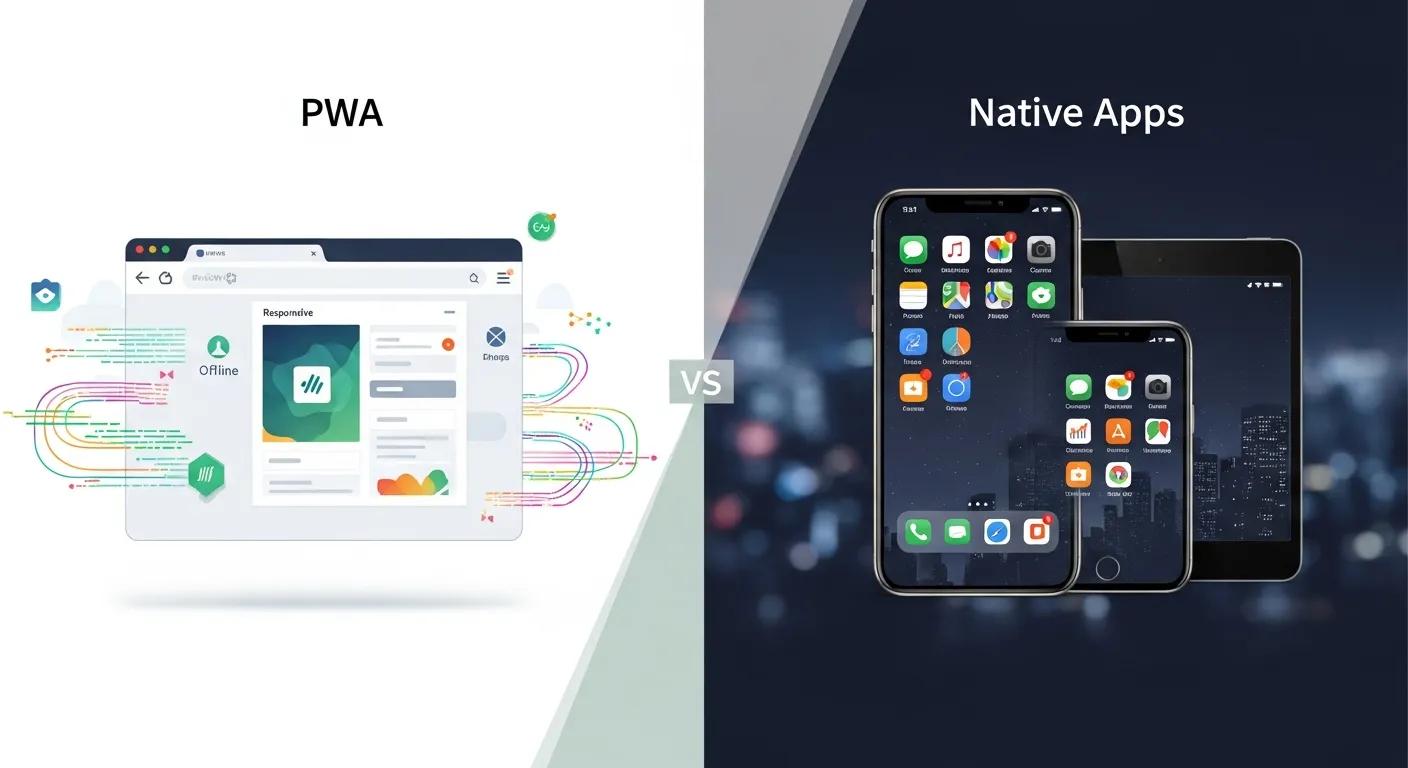
For many retail organisations, the question of PWA vs native apps is framed as a frontend debate. In practice, it’s a systems decision: one that spans frontend and backend concerns and affects release velocity, integration complexity, long-term cost, and how well your commerce stack can evolve over the next five years.
This article is written for CTOs, Heads of Digital, and senior engineering leaders at mid-market and enterprise retailers who already understand eCommerce fundamentals. The goal isn’t to advocate for a single answer, but to clarify when, why, and at what cost each option makes sense.
It’s worth noting that this isn’t always a binary decision. Many companies can and do employ both PWAs and native apps for different purposes, and sometimes, overlapping purposes. For the sake of this exploration, we’re going to assume a binary choice for the purposes of comparison.
** TL;DR **
Choosing between a progressive web app (PWA) and a native app is not a frontend decision. It’s a systems and operating-model decision. PWAs have closed much of the experience gap for standard eCommerce journeys and offer faster iteration, broader reach, and lower surface-area complexity when paired with a solid backend architecture. Native apps still make sense where deep OS integration, loyalty-led engagement, or in-store workflows create clear business value.
For CTOs, the real risk isn’t picking the “wrong” technology. It’s treating the choice in isolation from backend constraints, integration maturity, release discipline, and long-term maintainability. The right answer depends on what your organisation can sustain, technically and operationally, over the next three to five years.
What a Progressive Web App really is (in practice)
A progressive web app is not a “lite app” or a shortcut to native functionality. In real-world commerce teams, a progressive web app typically means:
A modern web application built on standard web technologies
Service workers for caching, resilience, and controlled offline behaviour
An installable surface with an app-like user interface
Delivery through the browser runtime, not the operating system
In other words, progressive web app ecommerce is still web commerce, but engineered with greater intent around performance, reliability, and long-term usability.
For retailers working with a PWA development company, this distinction is critical. The upside is clear: one primary surface, continuous deployment, and instant access via URL. The trade-off is equally clear: capability is governed by browser support and platform constraints, particularly on iOS.
What “native apps” mean in modern commerce
A native eCommerce app is an application built specifically for iOS and/or Android, distributed through app stores, and running directly on the operating system.
In today’s retail context, native apps are most often justified by:
Deep OS-level integrations, including background tasks and push technology
Loyalty-driven engagement strategies
In-store or assisted-selling workflows
High-frequency, repeat usage patterns are tied closely to customer engagement
Native apps offer predictable access to platform features, but they also introduce ongoing operational overhead: store review cycles, version fragmentation, release coordination, and duplicated QA effort across platforms: all familiar challenges in large-scale mobile app development.
Where PWAs and native apps are converging
Over the last few years, the day-to-day experience gap between a progressive web app and a native app has narrowed considerably, particularly for standard commerce journeys such as browsing, shopping, and checkout discovery.
Modern PWAs can now be installed to a user’s home screen, launched in a standalone window, and presented without visible browser chrome. For the customer, this increasingly feels like “having the app,” even though the experience is still delivered through web technologies. For CTOs, this matters because it reduces friction in acquisition: users can engage immediately via a URL and only install when value is proven.
Offline and degraded-network handling has also improved. PWAs can cache key assets, preserve browsing state, and allow limited interaction when connectivity is poor. In retail terms, this means fewer blank screens, more resilient mobile journeys, and a more consistent user experience for customers outside ideal connectivity conditions: an everyday reality for commuters, regional users, and in-store shoppers.
Web APIs have expanded access to device capabilities such as cameras, geolocation, storage, and local database options. While not equivalent to native access, this growing surface area allows PWAs to support more sophisticated product discovery and personalisation than was possible even a few years ago.
Push notifications, long considered a native-only advantage, now exist in restricted PWA contexts on iOS, provided the user installs the app to their home screen. While this is not parity with native push, it meaningfully changes retention planning for some retailers and removes what was previously an absolute blocker.
From a customer’s point of view, particularly in browse-to-checkout journeys, these improvements mean that a well-built PWA can feel indistinguishable from a native app. From a CTO’s point of view, this convergence raises a more strategic question: how much native capability is actually required to drive measurable revenue impact?
Where they remain fundamentally different
Despite this convergence, there are still structural differences that matter deeply once you move beyond surface-level UX.
Runtime control is the most fundamental. PWAs run inside a browser engine, which dictates what is possible and when. Native apps run directly on the operating system. For CTOs, this translates to predictability and control: native apps provide more explicit guarantees around lifecycle behaviour, while PWAs must operate within browser-defined constraints that can change across platforms and versions.
Background execution is another critical distinction. PWAs rely on service workers, which are explicitly designed to be short-lived and system-managed. Native apps, while still governed by OS rules, have broader and more predictable options for background processing. This difference becomes essential for workflows that require real-time updates or sustained background activity.
Release governance also diverges sharply. Progressive web app development enables continuous delivery, allowing teams to ship fixes, performance improvements, and experiments immediately. Native apps introduce an external gate: app store review, policy compliance, and staged rollouts. For engineering leaders, this affects incident response, experimentation speed, and coordination with commercial teams.
Finally, capability parity remains uneven. Even when a feature exists “on the web,” support may differ across browsers and devices. iOS remains a common constraint surface. Native platforms, by contrast, offer more consistent capability within their own ecosystems, at the cost of supporting multiple codebases and longer-term software development overhead.
Evaluation criteria for CTOs
Performance in real conditions
PWAs can be extremely fast, especially for repeat visits, as long as caching, rendering strategy, and JavaScript discipline are handled well. Many teams now use frameworks such as React PWA implementations to standardise this performance work, but results still depend on architectural discipline, not tooling alone.
Native apps offer smoother UI transitions and consistent rendering, but they still depend on backend systems for pricing, inventory, promotions, and identity. In complex retail stacks, backend latency often dominates perceived performance, regardless of client type.
In essence, performance outcomes are driven more by systems architecture than by whether the surface is web or native.
Offline and degraded-network behaviour
Offline support is possible with both approaches, but the cost of doing it well differs.
PWAs require explicit product and engineering decisions about what works offline, how data syncs, and how conflicts are resolved. Native apps make some offline and background patterns easier, but introduce their own lifecycle and complexity.
If offline is mission-critical (for example, in-store use), native is often lower risk. If offline is primarily a resilience feature, PWAs can be sufficient when designed intentionally.
Security and risk surface
Security is rarely the deciding factor between a progressive web app and a native app, not because security is unimportant, but because both approaches can be either well-secured or dangerously exposed. The difference is almost never the client technology itself. It’s how the system is designed, governed, and operated end-to-end.
For CTOs, this distinction matters. Many teams instinctively associate “native” with “more secure” and “web” with “higher risk.” In practice, most security incidents in retail commerce have little to do with whether the client is a browser or an app, and far more to do with how identity, APIs, and operational controls are handled behind the scenes.
Identity and authorisation mistakes
Identity is one of the most common sources of critical vulnerabilities in eCommerce systems. This includes issues such as overly broad access tokens, missing role checks, incorrect trust assumptions between services, or inconsistent enforcement of permissions across channels.
From a CTO’s perspective, the key risk is fragmentation. When identity logic is duplicated or implemented differently across web, PWA, and native clients, gaps inevitably appear. Attackers don’t target UI layers — they target inconsistencies. Whether the request originates from a progressive web app or a native app is irrelevant mainly if backend authorisation rules are weak or poorly enforced.
Poor API boundary design
Modern commerce stacks rely heavily on APIs. Poorly defined or overly permissive API boundaries dramatically increase risk.
This often shows up as:
Client-side assumptions about pricing, inventory, or eligibility
Business logic leaking into frontend code
APIs that trust the caller instead of validating intent and context
For senior engineering leaders, this is a structural issue. A secure system assumes that every client is potentially hostile, including your own apps. When APIs are designed defensively, the choice between PWA and native becomes much less significant from a security standpoint.
Dependency and supply-chain risk
Both PWAs and native apps depend on extensive third-party ecosystems: libraries, SDKs, build tools, analytics, and payment components.
The risk here is not theoretical. Vulnerable dependencies, abandoned packages, and compromised libraries are a common entry point for attackers. For CTOs, the real question is whether the organisation has:
Clear dependency ownership
Update and patching discipline
Visibility into what is running in production
This risk exists regardless of client type. A native app with outdated SDKs is no safer than a progressive web app with unmaintained JavaScript dependencies.
Weak observability and incident response
One of the most underestimated security risks is not knowing what is happening in production.
Without strong observability (logging, tracing, alerting, and behavioural monitoring), teams often detect incidents late or struggle to understand their scope. This affects containment, customer communication, and regulatory exposure.
From a CTO’s point of view, observability is a security control. It enables faster detection of abuse, fraud, and anomalous behaviour across all clients. Whether traffic comes from a browser-based progressive web app or a native app is secondary to whether suspicious patterns can be seen and acted upon quickly.
The key takeaway for CTOs
Security risk does not live in the UI layer. It lives in identity design, API contracts, operational discipline, and organisational maturity.
Choosing between a progressive web app and a native app will change how users interact with your platform, but it will not meaningfully reduce risk unless the underlying systems are sound. Teams that focus on surface-level security assumptions often miss the deeper issues, and those are the ones that tend to be exploited.
For senior technology leaders, the most secure choice is not a specific client technology. It is an architecture and operating model that assumes complexity, enforces boundaries, and remains observable as the business scales.
Integration with complex commerce stacks
For mid-market and enterprise retailers, the front end is rarely the most challenging part.
ERP, PIM, OMS, POS, and CDP integrations define:
Pricing accuracy
Inventory truth
Fulfilment promises
Omnichannel consistency
Both PWAs and native apps should connect through a stable integration layer (often a BFF or API gateway). Without this, teams end up duplicating logic across channels, a common source of long-term technical debt.
Deployment and release management
This is where the difference becomes operationally tangible.
Progressive web app development enables continuous delivery. Fixes, experiments, and optimisations can ship immediately.
Native apps require coordination with app store policies, review timelines, and staged rollouts.
For organisations that value experimentation and rapid iteration, this difference compounds quickly.
Maintainability and total cost over time
Over a 3–5 year horizon, cost is driven by:
Number of platforms to maintain
Release and QA overhead
Talent availability
Integration maintenance
Observability and incident management
A single well-engineered PWA can reduce surface area. Multiple native apps can increase control, but also multiply costs. Neither choice is “cheaper” by default.

Where PWAs succeed and fail
PWAs work best when:
Speed to market and reach matter
You want one primary commerce surface
Performance and SEO are strategic priorities
Offline is limited but valuable
Your organisation can maintain web performance discipline
Common PWA failure modes:
Treating PWA as a frontend rewrite while backend issues remain
Over-caching dynamic commerce data
Expecting native-level background behaviour on iOS
Shipping app-like UX promises without platform awareness
Where native apps earn their keep
Native apps are often justified when:
Loyalty and retention are core to the business model
Push notifications are central to engagement strategy
In-store or device-specific workflows exist
App-only features materially change the customer experience
They are often over-engineered when they simply replicate the website with a higher operational cost.
Decision context matters more than technology choice
There is no universal answer.
Mid-market retailers often benefit from a PWA-first approach to maximise speed, reach, and focus.
Enterprise retailers may justify native apps for specific use cases, layered on top of a strong web or PWA foundation.
Many successful teams take a phased approach: fix mobile web performance first, then selectively add native capabilities where they create real value.
The mistake is treating this as a binary choice.
Why these initiatives fail internally
When PWA or native app initiatives underperform, the root cause is rarely that the organisation chose the wrong client technology. In most cases, the failure is organisational and architectural, not technical. The frontend simply becomes the most visible place where deeper issues surface.
Making frontend decisions in isolation
One of the most common failure patterns is treating the client layer as a standalone project. Teams focus heavily on UI frameworks, performance tooling, and interaction patterns, while assuming the backend will “keep up.”
For CTOs, this creates a structural mismatch. Frontend teams move quickly, shipping new experiences and expectations, while backend systems (ERP integrations, pricing engines, inventory services) remain brittle, slow, or inconsistent. The result is an app that looks modern but behaves unpredictably: incorrect prices, unavailable inventory, broken promotions, or checkout edge cases that only appear under load.
This disconnect often leads to friction between teams and erodes confidence in the initiative, even though the underlying issue is coordination, not technology choice.
Underestimating backend and integration complexity
In medium to large retail organisations, the hardest problems live behind the scenes. ERP constraints, legacy POS systems, fragmented inventory sources, and complex fulfilment logic don’t disappear because a new client has been built.
When these realities are underestimated, teams are forced into short-term compromises: duplicating logic in the client, hardcoding assumptions, or adding fragile workarounds to meet delivery deadlines. Over time, these decisions accumulate into technical debt that is far more expensive to unwind than the original build.
For senior engineering leaders, this is where initiatives quietly stall. The frontend keeps evolving, but the systems it depends on cannot scale with it.
Lacking release discipline and observability
Both PWAs and native apps demand strong operational maturity but in different ways.
PWAs enable continuous delivery, which is a strength only if teams have the discipline to manage it: feature flags, performance budgets, monitoring, and rollback strategies. Without these, small changes can create outsized incidents, and teams lose confidence in shipping quickly.
Native apps, while slower to release, introduce their own risks when observability is weak. Issues may only appear after rollout, with limited ability to patch quickly. Without clear telemetry and error visibility, teams struggle to understand whether problems stem from client behaviour, backend systems, or platform-specific quirks.
For CTOs, observability is not a tooling concern, it’s a prerequisite for scaling any digital channel safely.
Designing for capability rather than outcomes
Another subtle but damaging pattern is building toward what is possible rather than what is valuable.
Teams become excited by features: offline modes, background sync, push notifications, advanced animations, without tying them to measurable business outcomes. The result is increased complexity without corresponding return: more edge cases to test, more failure modes to support, and more operational load for the same commercial impact.
Senior leaders often inherit these systems later, when the original rationale is unclear but the cost is ongoing.
For CTOs and Heads of Digital, the lesson is not to be cautious about PWAs or native apps. The goal is to be cautious about how decisions are framed and executed.
Successful initiatives start with:
A clear understanding of backend constraints
A shared integration strategy across channels
Operational discipline equal to the chosen delivery model
A focus on outcomes, not feature parity
This is where experienced, backend-first engineering teams tend to add disproportionate value. Not by advocating for a particular client technology, but by ensuring that architecture, performance, and delivery are aligned with how the business actually operates.
When that alignment exists, both PWAs and native apps can succeed.
The takeaway for CTOs
The real question isn’t PWA or native? It’s:
What problem are we solving?
How many surfaces can we sustain?
Where does performance actually break down?
How does this decision affect our stack in three years?
A progressive web app can be a powerful foundation for modern eCommerce. A native app can be a strategic advantage in the proper context. Both can fail if treated as surface-level decisions.
The CTO’s job is to choose the option that aligns with systems reality, organisational capability, and long-term intent, not industry hype.
Frequently Asked Questions
Is a progressive web app a replacement for a native mobile app?
Not necessarily. A progressive web app can replace a native app in some contexts, particularly where speed to market, reach, and iteration matter more than deep OS-level features. In other cases, native apps remain justified for specific workflows, such as in-store tools, loyalty programs, or experiences that rely heavily on background execution and device-level integration. The decision depends on outcomes, not parity.
Are PWAs suitable for enterprise-scale eCommerce?
Yes, but only when paired with the right architecture. At enterprise scale, the limiting factor is rarely the client layer. It is the integration strategy, API design, performance discipline, and operational maturity behind it. A PWA sitting on top of brittle ERP or inventory systems will struggle just as much as a native app would.
Do PWAs perform as well as native apps?
They can, especially for repeat visits and standard commerce journeys. In practice, performance is driven more by backend latency, data orchestration, and rendering strategy than by whether the client is web or native. A poorly engineered native app will feel slower than a well-built PWA.
What are the biggest risks of choosing a PWA-first approach?
The most common risks are organisational rather than technical. Teams often underestimate browser constraints (particularly on iOS), overpromise app-like behaviour, or treat the PWA as a frontend project without addressing backend performance and data consistency. These issues are avoidable, but only with intentional design and delivery discipline.
When does a native app clearly make sense?
Native apps tend to make sense when there is a clear business case tied to customer engagement or operational workflows. Examples include loyalty-driven experiences, heavy use of push notifications, in-store or assisted selling tools, or scenarios where offline and background processing are central to the experience. Without a clear differentiator, native apps can become an expensive second surface to maintain.
Is this decision primarily a frontend concern?
No. While the debate is often framed around UI and experience, the real impact is systemic. Identity, APIs, inventory accuracy, pricing logic, and release processes matter far more than the choice of client technology. Treating this as a frontend-only decision is one of the fastest ways to introduce long-term risk.
Can retailers adopt both PWAs and native apps?
Yes, and many successful organisations do. A common pattern is to use a high-performing PWA as the primary commerce surface, then layer native apps on top for specific use cases where they create measurable value. This approach only works when there is a strong shared backend and integration layer.
How should CTOs approach this decision internally?
The most effective approach is to start with constraints and outcomes. Understand your backend limitations, integration maturity, release capability, and internal team structure. From there, evaluate which client surfaces you can realistically sustain over time. The right answer is the one your organisation can operate reliably, not the one that looks most impressive on a roadmap.
What role should external engineering partners play?
Experienced engineering partners tend to add the most value when they help teams frame the decision correctly: as a systems and delivery challenge rather than a tooling choice. This includes clarifying integration boundaries, stress-testing assumptions, and aligning frontend ambition with backend reality. The goal is not to choose PWA or native, but to reduce risk and increase confidence in the outcome.